
Consistently voted among the top international transit hubs on the planet, Incheon International Airport (ICN – 인천국제공항) processes over 70 million travelers annually across Terminal 1 and Terminal 2. During peak morning and evening departure banks, physical security screening lines can bottleneck, with queues spilling out into the main check-in concourses and wait times stretching past 45 to 60 minutes. To eradicate departure congestion, the Incheon International Airport Corporation (IIAC) deployed its groundbreaking biometric departure system: ICN SmartPass (스마트패스). By registering your passport’s electronic RFID microchip and a biometric facial scan via a dedicated mobile app prior to arriving at the airport, international travelers can bypass regular general passenger queues and breeze through dedicated biometric express screening lanes without pulling out their physical passport or boarding pass at the security threshold.
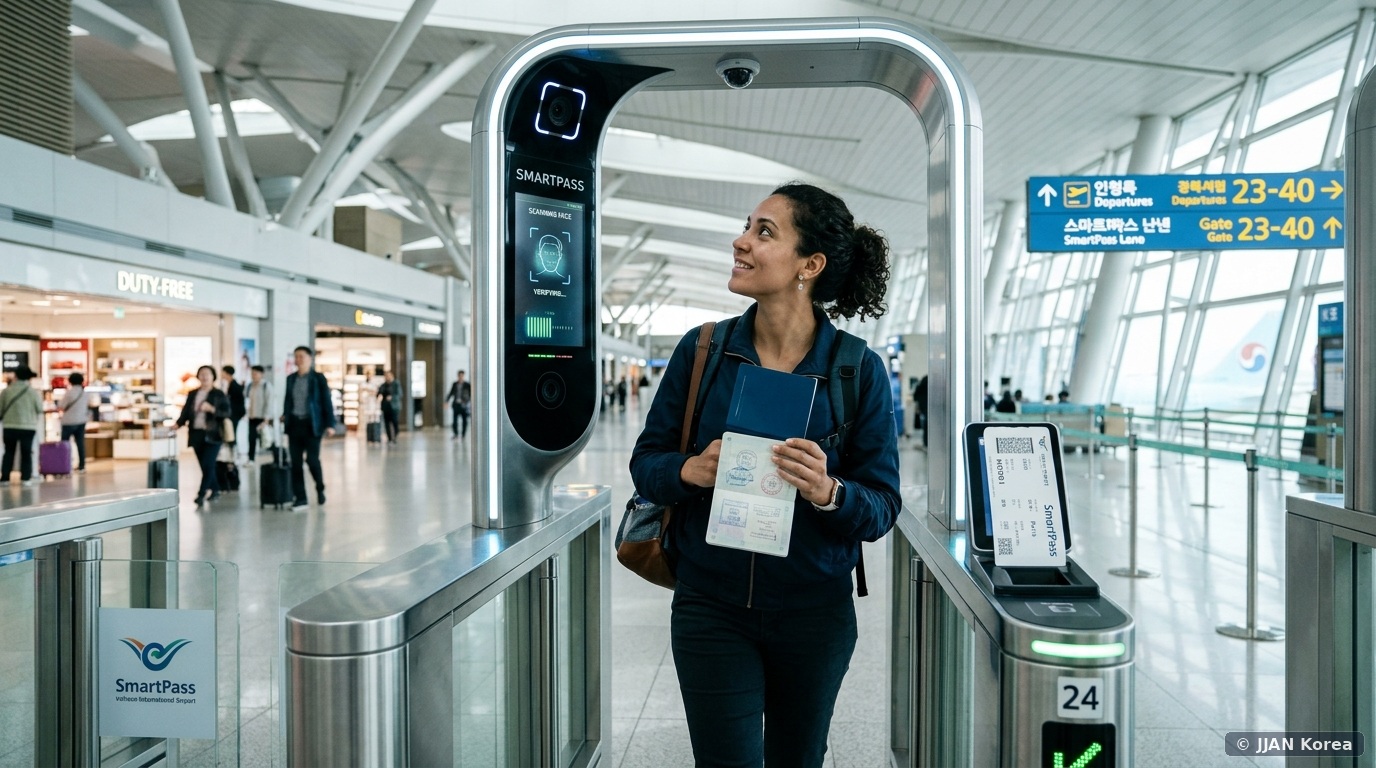
1. What is ICN SmartPass & How Does the Technology Work?
ICN SmartPass is a next-generation facial recognition biometric identity verification service implemented across both Terminal 1 and Terminal 2. Under standard departure protocols, passengers must physically present their paper or mobile boarding pass and physical passport to security personnel at the entrance of each departure hall, who manually cross-check names and faces before opening the glass security barrier.
With SmartPass, optical biometric facial scanners integrated into automated electronic departure gates match your live face against your pre-registered biometric template in under 0.5 seconds. Once recognized, the automated glass gates slide open immediately, diverting you directly into the baggage x-ray screening checkpoint. Furthermore, participating partner airlines increasingly utilize SmartPass for boarding gate turnstiles, allowing travelers to walk aboard aircraft purely with their face.
| Departure Stage | Standard General Queue | SmartPass Express Biometric Lane | Average Time Saved |
|---|---|---|---|
| Departure Hall Entrance (Security) | Manual passport & boarding pass verification by guard (15–45 min queue) | Automated facial scan electronic speed gate (0–2 min queue) | 15 to 40 Minutes Saved |
| Departure Flight Boarding Gate | Gate agent manual barcode scan & passport verification | Dedicated SmartPass biometric turnstile (Participating airlines) | 5 to 10 Minutes Saved |
| Required Physical Documents | Must hold passport & boarding pass open in hand | Hands-free facial scan (Must still carry passport in pocket) | Seamless, stress-free transit |
2. Step-by-Step Mobile App Registration Guide (Takes 3 Minutes)
You can complete your SmartPass registration from anywhere in the world before departure, provided your smartphone supports Near Field Communication (NFC):
- Step 1: Download the Official App: Search for ‘ICN SmartPass’ (인천공항 스마트패스) on the Apple App Store or Google Play Store. The application features native English, Korean, Japanese, and Chinese language toggles.
- Step 2: Agree to Biometric Terms & Create PIN: Launch the app, accept the data privacy terms, and set a 6-digit administrative security PIN or biometric FaceID lock.
- Step 3: Optical Passport Photo Page Scan: Position your passport’s bio-data page inside the on-screen rectangular viewfinder. The camera automatically captures the Machine Readable Zone (MRZ) alphanumeric lines at the bottom of the page.
- Step 4: NFC e-Passport Chip Scan: This is where many users stumble! Close your passport. Place the back or front cover of your passport flat against the upper rear surface of your smartphone (where the NFC antenna is located; on iPhones, hold the top edge against the center of the passport). Hold both completely still for 3 to 5 seconds until the progress bar reaches 100%, reading the encrypted cryptographic chip.
- Step 5: Biometric Facial Capture: Hold your phone at eye level in a brightly lit room. The app will instruct you to blink or turn your head slightly to confirm live liveness detection. Once confirmed, your SmartPass ID is permanently active for 5 years!
- Step 6: Register Your Boarding Pass: On the day of your flight (or once online check-in opens 24 hours prior), tap ‘Register Boarding Pass’. Either upload the mobile boarding pass QR/barcode image screenshot or scan the paper boarding pass barcode issued at the airline check-in counter.
Remember that smooth airport departures require dependable airport transit planning. Review our breakdown on comparing AREX Express trains, all-stop subway, and airport limousines to ensure you arrive at your terminal at least 2.5 to 3 hours prior to international boarding.
3. Critical Rules: Why You Still MUST Carry Your Physical Passport
While SmartPass streamlines the entrance to the security screening hall and designated aircraft boarding gates, it does NOT replace your physical passport for government immigration control!
- Mandatory Physical Passport Possession: The Ministry of Justice border control gates (Immigration / Chul-ib-guk Simsadae) situated immediately after baggage security screening operate under distinct sovereign immigration statutes. You must still scan your physical passport and register fingerprints at the automated immigration e-gates (SeS / 자동출입국심사대). If you pack your passport inside checked luggage, you will be barred from exiting South Korea!
- Child Age Limits: Children under 7 years of age cannot register for SmartPass due to rapidly developing facial bone structures. Children aged 7 to 14 require registered parental consent through the app.
- Participating Airline Scope: SmartPass departure hall express lanes are open to passengers flying on any airline operating out of Incheon. However, SmartPass biometric boarding gates are currently restricted to partner airlines (including Korean Air, Asiana Airlines, Delta, Jeju Air, Jin Air, and T’way Air), with foreign legacy carriers being added progressively.
4. Frequently Asked Questions (FAQ)
Q1: Can foreign tourists on short-term 90-day tourist visas use SmartPass?
Yes! ICN SmartPass is completely open to foreign passport holders regardless of visa status. Any international electronic passport bearing an embedded biometric chip (indicated by the gold camera symbol on the front cover) is fully supported.
Q2: My phone fails to read my passport’s NFC chip. What should I do?
First, remove thick phone cases (especially leather wallet cases with magnetic clasps or metal plates). Move the phone slowly across different parts of the passport, as chip locations vary by country (e.g., embedded inside the hard photo page in Korean/US passports, or embedded inside the back cover in European passports). If it still fails, on-site SmartPass self-registration kiosks located throughout Incheon Airport departure halls can register your chip in person.
Q3: How long before my flight must I register my boarding pass on the app?
You can register your boarding pass up to 30 minutes prior to departure. Once registered, the app screen displays a green checkmark indicating ‘SmartPass Ready’.
Q4: Is my personal biometric facial data secure?
The Incheon International Airport Corporation utilizes bank-grade end-to-end encryption. Your raw facial photograph is never stored directly on public cloud servers; instead, it is transformed into an irreversible cryptographic mathematical hash token compliant with South Korea’s strict Personal Information Protection Act (PIPA).
🛡️ JJAN Korea Editorial Standards & Fact-Checking Verification
This article was independently researched, field-tested, and audited by the JJAN Korea Digital Infrastructure & Tech Desk in Seoul led by Tech Editor Min-jun Kim. Biometric departure operations, NFC e-passport scanning protocols, and airline boarding gate integration audited directly through Incheon International Airport Corporation (IIAC) operations management.
Notice an unlisted airline boarding gate update or app interface revision? Help us keep our international community accurately informed: Submit an Editorial Correction to our Seoul Newsroom.